⚡ Productivity & Design
Veed.io
Browser-based video editor with subtitling and other automated editing features
Some links on this page are affiliate links. If you sign up through one we may earn a commission, at no extra cost to you.
About Veed.io
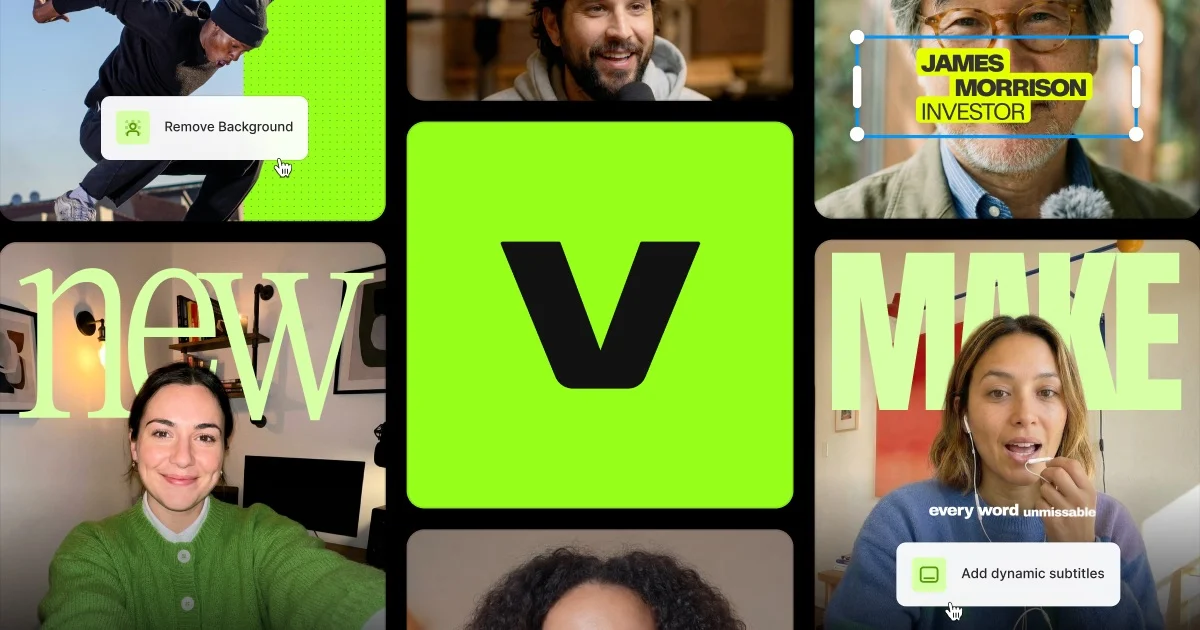
Browser-based video editor with subtitling and other automated editing features
Key Features
- Video editing
- Subtitles
- Browser-based
Veed.io is listed in the Productivity & Design category on Mega Deal. Alternatives in the same category are listed further down this page.
Pros
- Auto subtitles are the anchor feature, with a claimed accuracy of up to 99.9 percent and translation applied in the same pass by toggling Add Translation and picking a target language.
- Subtitles export as SRT, VTT or TXT files, or burn into the video as hardcoded captions, with control over fonts, sizes, styles and colours plus box highlight and karaoke-style animation.
- Unlimited auto subtitles and watermark-free export are both listed on the entry Creator plan, so the feature most teams use daily is not held back for an upgrade.
- AI dubbing translates spoken audio with an optional lip-sync toggle, can clone the original speaker voice instead of substituting a stock one, and retains the original ambient sound.
- Over 60 stock talking avatars speak in 120-plus languages with realistic lip sync, and a custom avatar can be made by recording a pre-set script, ready in a few hours.
- Screen Recorder, Online Teleprompter, AI Clip Generator, Video Background Remover and Eye Contact AI sit in the same browser workspace as the editor, alongside a Brand Kit holding logos, custom fonts and colour palettes.
Cons
- AI credits are the meter, running from 6,000 on Creator to 180,000 on Studio. Occasional AI use fits Creator comfortably; heavy avatar, dubbing and generation volume is what Pro and Studio exist for.
- Dubbing runs on Pro plan credits and multiple Brand Kits start at Pro. A solo creator managing one brand fits Creator; agencies handling several client brands should budget for the Pro tier from the start.
- Browser-based and built for the work around the cut. Frame-accurate narrative editing, colour grading and very large local media still belong on a desktop editor, with VEED handling captioning and repurposing afterwards.
- Organised around social and marketing output. If your videos are structured training modules headed for a learning management system, a training-first platform such as Colossyan matches that workflow more closely.
In-Depth Review
VEED is a video editor that lives entirely in the browser, built around the jobs that eat the most time after a recording exists: subtitling it, translating it, cutting it down and keeping it on brand. It is less a replacement for a desktop non-linear editor than a workspace for the production work that happens around one.
Subtitles, the anchor feature
Auto subtitles are the reason most teams arrive. VEED claims up to 99.9 percent accuracy on its AI subtitle generation. Translation is a toggle rather than a separate workflow: you switch on Add Translation, pick a target language, and subtitles are generated and translated in the same pass. The tool advertises translating captions into Spanish, Japanese, Hindi, French and many more, and publishes dedicated subtitle pages for over 40 individual languages.
Styling is where the feature earns its keep for social output. You control fonts, sizes, styles and colours, and you can apply animation styles including box highlights and dynamic subtitles that move in sync with the audio, which VEED describes as karaoke-style animation. Output is flexible: export the subtitles as SRT, VTT or TXT files, or burn them into the video as hardcoded captions.
Dubbing and voice
The dubbing tool translates the spoken audio of an existing video into other languages, with dedicated dubbing options published for more than 40 languages. Two details separate it from basic voiceover replacement. First, lip-sync is available as a toggle, matching lip movement to the translated speech. Second, you can clone the original speaker voice rather than substituting a stock one, though stock voices are also available. VEED states the tool retains the ambient sound from the original for a more immersive result. Dubbing runs on monthly credits on Pro plans, or custom credits for Enterprise users.
Avatars and generated video
VEED offers over 60 talking characters with varying personalities, voices and attire. You pick an avatar, type a script, and the system generates a talking video with realistic lip-sync and lifelike facial expressions. Avatars are stated to speak in 120-plus languages with natural accent pronunciation. Custom avatars are supported: you record yourself reading a pre-set script, and VEED states the custom avatar is ready in just a few hours. Stock avatars are free to try.
The rest of the workspace
Alongside editing, VEED publishes a Screen Recorder, an Online Teleprompter, an AI Clip Generator for automated cutting, a Video Background Remover, Eye Contact AI for gaze correction, and both video and ad template libraries. VEED for Teams covers collaborative work. The point of the collection is that a recording, its transcript, its captions, its translations and its short-form cutdowns all live in the same browser tab rather than moving between four applications.
Brand Kit
The Brand Kit stores logos, custom fonts and colour palettes alongside a media library of images, audio and video files, plus branded templates. Assets are applied to videos in seconds rather than rebuilt per project. A single Brand Kit covers individual users; multiple Brand Kits are aimed at teams managing several brands or sub-brands, each with its own dedicated kit.
Pricing, checked August 2026
Plans are per user and the listed rates are billed yearly. Creator is 12 dollars per user per month, billed yearly at 147 dollars, and includes 6,000 credits, which VEED estimates at roughly 1,500 AI videos, along with no watermark, unlimited auto subtitles, the full audio and video catalogue and more than 15 AI tools. Pro is 22 dollars per user per month, billed yearly at 265 dollars, with 30,000 credits, roughly 7,500 AI videos, plus multiple Brand Kits, translation into 50-plus languages and up to 144 hours per year of AI voice. Studio is 39 dollars per user per month, billed yearly at 465 dollars, with 180,000 credits, roughly 45,000 AI videos, plus custom templates and up to 960 hours per year of AI voice. Enterprise is custom-priced and adds centralised team management, review mode, privacy controls and customer success support. You can start for free before choosing a tier.
Who it fits
The clearest fit is a marketing or content team producing a steady stream of talking-head, webinar and social video that needs captions, translation and short-form cutdowns quickly. Unlimited auto subtitles and no watermark are present from the entry Creator plan, so subtitle work does not force an upgrade.
Choose differently in two situations. If your work is frame-accurate narrative editing, colour grading or handling very large local media files, a desktop editor remains the right tool and VEED is best treated as the layer that handles captioning and repurposing after the cut. And if your output is structured training material destined for a learning management system, a purpose-built training video platform such as Colossyan is a closer match, since that category is built around SCORM packaging and in-video assessment rather than social-first editing. Note also that AI credits are the meter here: occasional AI use fits Creator comfortably, while heavy avatar, dubbing and generation volume is what Pro and Studio exist for.
Why Choose Veed.io?
Why pick VEED over a desktop editor
VEED is not competing with a desktop non-linear editor on the cut. It competes on everything after it. Subtitling, translating, dubbing, cutting down for social and keeping output on brand are the tasks that consume the hours, and VEED puts all of them in one browser tab with nothing to install and nothing to render locally.
Subtitles are the strongest single argument
Auto subtitles with a claimed accuracy of up to 99.9 percent, translation as a single toggle during generation, full control over fonts, sizes, styles and colours, plus animation styles including box highlights and karaoke-style captions synced to the audio. Then export as SRT, VTT or TXT, or burn them in. Crucially, unlimited auto subtitles and watermark-free export are both listed on the entry Creator plan, so the feature most teams need daily is not held back for an upgrade.
Translation without re-recording
The dubbing tool translates spoken audio and can clone the original speaker voice rather than swapping in a stock narrator, with an optional lip-sync toggle and retention of the original ambient sound. For a team needing the same video in several markets, this replaces booking talent per language. Dubbing runs on monthly credits on Pro plans.
Everything in one workspace
Screen Recorder, Online Teleprompter, AI Clip Generator, Video Background Remover, Eye Contact AI and over 60 stock AI avatars speaking 120-plus languages all sit alongside the editor. The Brand Kit holds logos, custom fonts and colour palettes plus a shared media library. Because it is browser-based, collaborators review and edit without a licence install.
Choosing a tier
Credits are the meter, so pick the tier by how much AI generation you do, not by seat count. Creator at 6,000 credits suits steady subtitling with occasional AI work. Pro at 30,000 credits is where multiple Brand Kits and dubbing arrive, the natural tier for an agency handling several client brands. Studio at 180,000 credits is for continuous AI production.
When something else fits better
Frame-accurate narrative editing, colour grading and heavy local media still belong on a desktop editor. And if your videos are structured training modules headed for a learning management system, a training-first platform built around SCORM packaging and in-video assessment will serve you better than a social-first editor.
Scan to open Veed.io on your phone
This QR code opens the same Veed.io link as the buttons on this page. Point your phone camera at it to continue on mobile.
Competitors & Alternatives
How Veed.io compares with the other Productivity & Design programs listed on Mega Deal. Every row links to that program's own page.
| Tool | What it does | Key features |
|---|---|---|
| Veed.io (this page) | Browser-based video editor with subtitling and other automated editing features | Video editing, Subtitles, Browser-based |
| ClickUp | Versatile project management and productivity platform centralizing tasks, docs, and goals | Project management, All-in-one, Productivity |
| Todoist | World's #1 to-do list app trusted by 20M+ people with 5★ ratings everywhere | Task management, 20M+ users, Cross-platform |
| Reclaim.ai | #1 AI calendar that protects focus time and optimizes meetings | AI calendar, Focus time, Recurring |
| Motion | AI-powered productivity app that auto-schedules tasks and manages projects | AI scheduling, Task management, Calendar |
| Sunsama | Daily planner assistant for busy professionals to plan calm, focused workdays | Daily planning, Work-life balance, Focus |
| Wrike | Collaborative work management for teams with 20,000+ clients | Work management, Collaboration, Enterprise |